Wi-Fi Setup
- Put scale in AP mode. Hold down all 3 buttons and release the bottom button (Reset button)
- Amber light will come on
- Connect the Wi-Fi on a desktop or mobile device to the USR-C215
- Wait until the device connects (Amber light will go off)
- Open a web browser
- Type the following IP address in the search bar: http://10.10.100.254
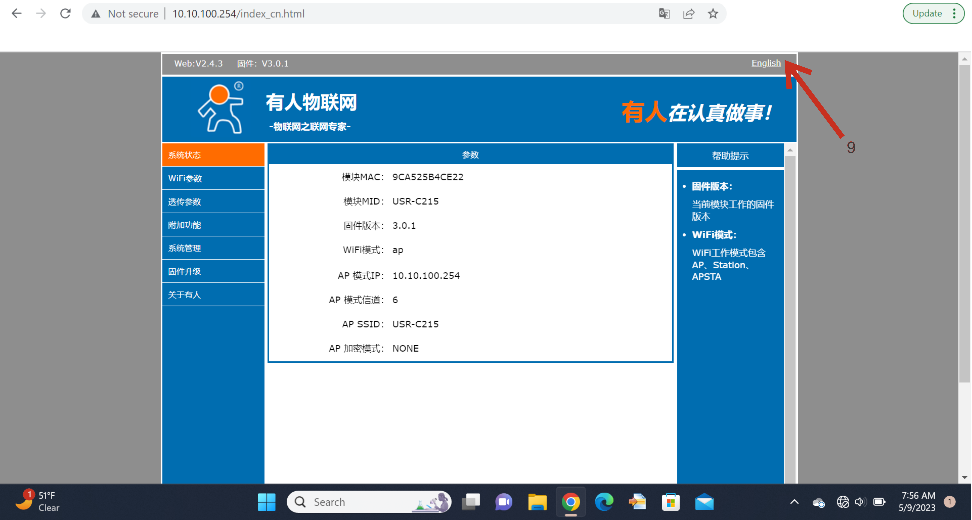
- A website will appear (this is stored in the Wi-Fi module in the scale)
- Login with the username and password "admin" and "admin"
- Select English
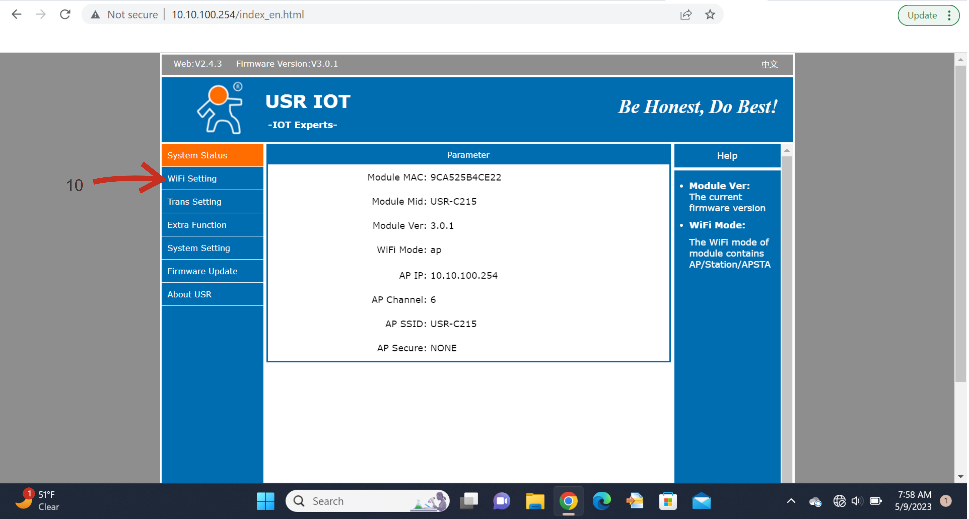
- Select Wi-Fi Settings
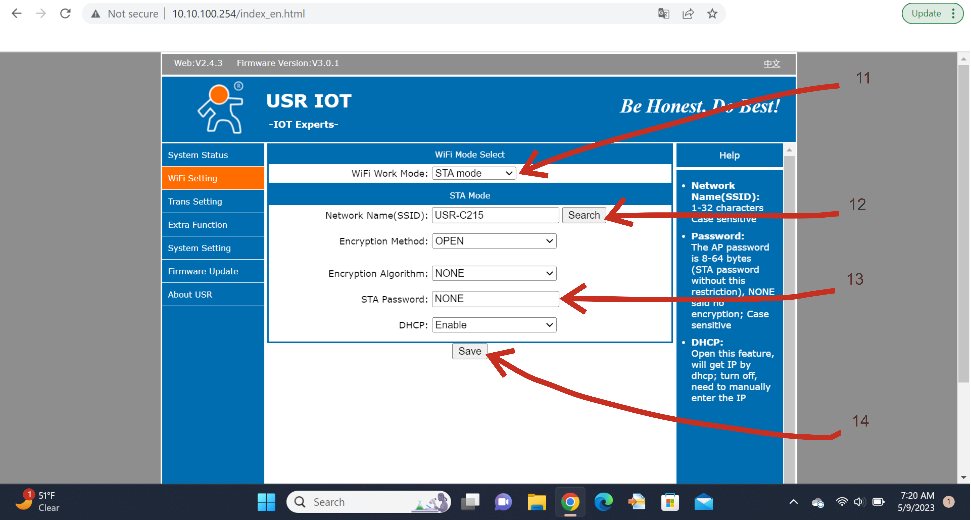
- Select STA Mode
- Press "Search" and select your network name (SSID)
- Type your network password
- Click "Save"
- Press Restart
- The amber light will turn on. Then wait for the amber light to turn off again.
- Wait until the red light blinks with a regular heartbeat. Then optionally press "Manual Send" and data should come up to the website after about 3 minutes.